VEGA AI lets test prep institutes upload any PDF and automatically extract questions, generate adaptive practice tests, and assign them to students in minutes, with no manual typing or reformatting required. This means a tutor with an existing question bank in PDF format can have a fully functional adaptive test live on their student portal the same day. The process eliminates hours of manual question entry that hold most coaching institutes back from building digital practice libraries.
Most coaching institutes have years of valuable content locked in PDFs: past papers, worksheets, question sets, and mock tests. Moving that content into a usable digital format is the problem. The traditional route involves copying questions one by one into an LMS, formatting answers, tagging difficulty levels, and organising everything into a test structure. For a 100-question paper, this can take four to six hours per document.
Common problems coaching institutes report when trying to digitise content:
Spending 6+ hours per PDF reformatting questions into an LMS
Losing question structure when copy-pasting from scanned documents
No way to tag questions by difficulty, topic, or subtopic at scale
Students getting static tests that do not adapt to their level
VEGA AI's AI-powered test prep platform was built specifically to remove this bottleneck. The question extraction tool reads your uploaded PDF, identifies individual questions, and structures them so you can immediately assign them as adaptive tests.
For Educational Institutions: An AI System to 3X Your Revenue
Generate leads and improve conversions, while reducing operational overheads - with VEGA AI
The process takes four steps, each handled within the VEGA AI platform without external tools or coding.
Step 1: Upload your PDF.
Log in to your VEGA AI portal and navigate to the Content or Question Bank section. Upload your PDF directly. VEGA AI accepts both text-based PDFs and image-based scanned documents.
Step 2: Review extracted questions.
VEGA AI's extraction engine identifies questions, answer choices, and correct answers from the document. You see each extracted item in a review view where you can approve, edit, or remove individual questions before they enter your library. This step takes minutes rather than hours.
Auto Tag by topic and difficulty.
VEGA AI auto assign each question to a topic, subtopic, and difficulty level. This tagging is what powers the adaptive logic: students who answer correctly get harder questions next, and students who struggle get more foundational ones first.
Step 3: Build and assign the adaptive test.
Select questions from your library, set the adaptive parameters, and publish the test to your student portal. Students access it immediately, and you track results in real time from your dashboard.
QFS used this workflow to build and launch 22 courses in just three weeks. LessonBoard scaled their digital practice library to serve 11,419 learners without adding tutors to their team.
Most standard PDF formats work with VEGA AI's extraction tool: text-based PDFs exported from Word or Google Docs, scanned paper tests, official practice materials, and custom tutor-created worksheets in any subject.
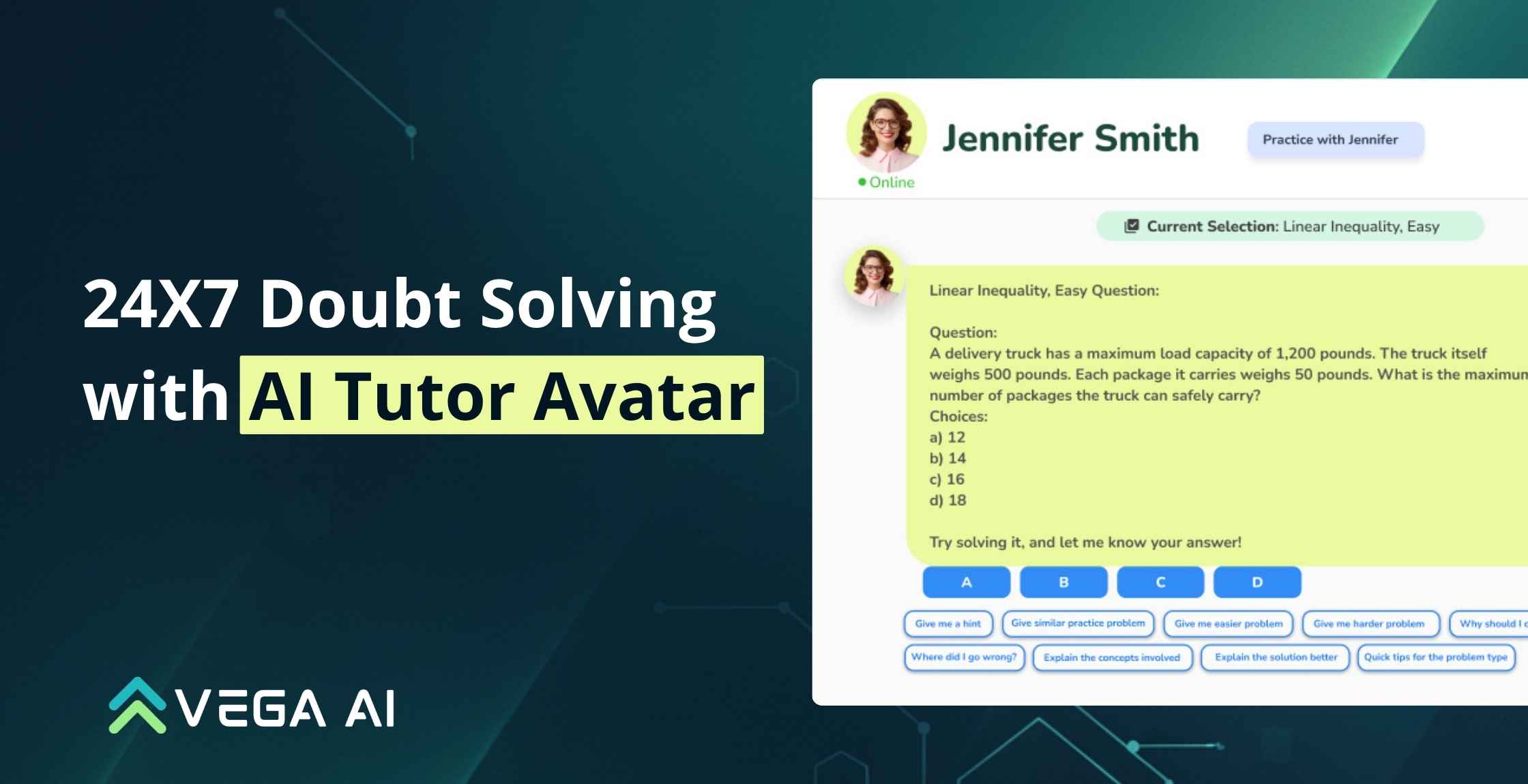
The adaptive element is what separates a VEGA AI test from a static PDF. When a student gets a question right, the next question is harder. When they get one wrong, the system serves a similar question at the same level before progressing. Over a session, the test builds an accurate picture of each student's knowledge gaps.
Institutes using VEGA AI have reported up to an 80% reduction in tutoring time, because the AI Avatar explains concepts and answers 24/7 without a human tutor present. The auto-grading feature processes results instantly, giving tutors back hours they previously spent marking papers. Try VEGA AI free for your institute at myvega.ai/pricing or read how other institutes are scaling on the customer stories page.
Save weeks of manual work—generate complete syllabus, question banks, and assessments in minutes with VEGA AI.