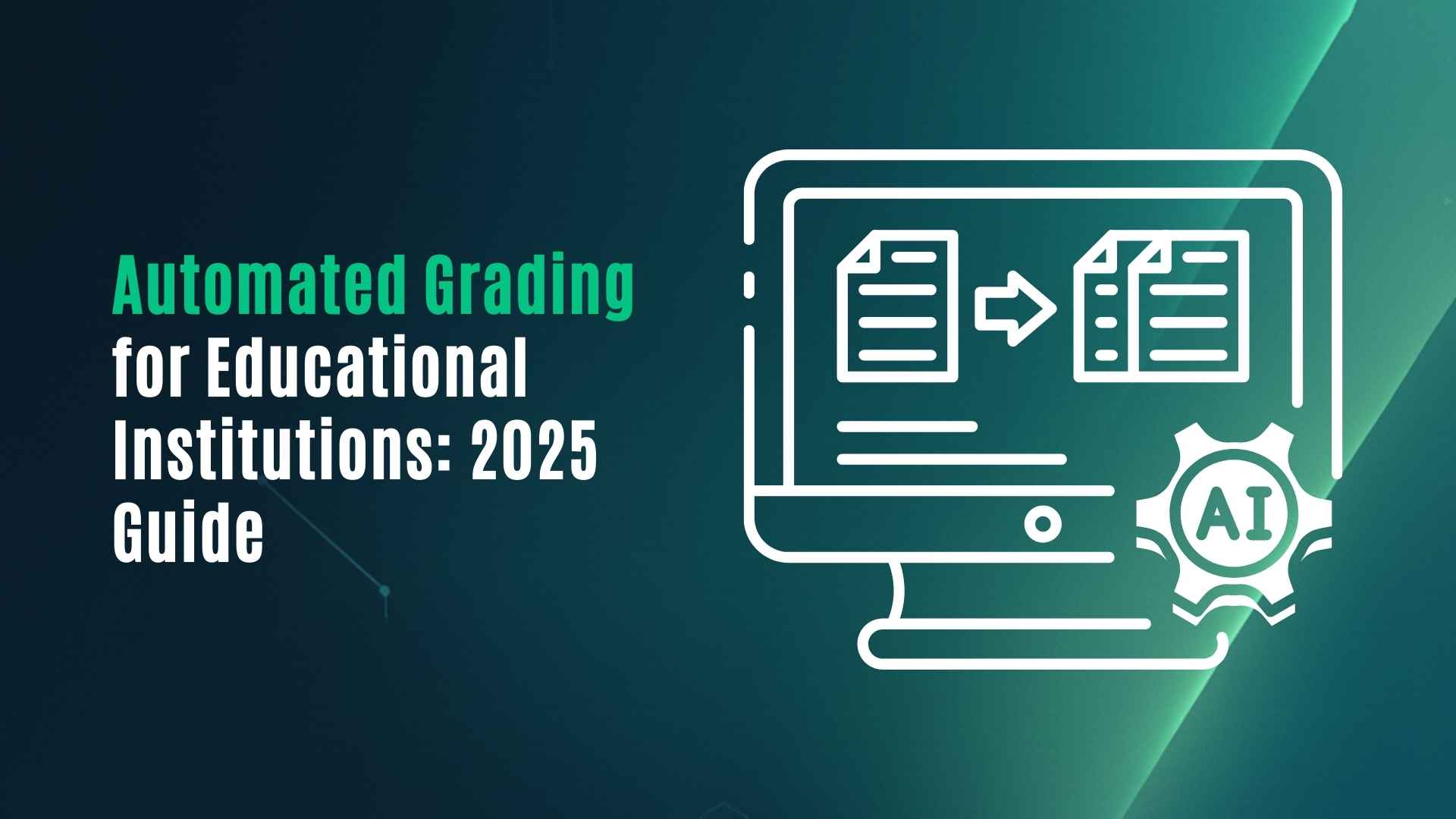
Automated Grading for Educational Institutions: 2025 Guide
AI Tools
AI Tools
5 minutes
5 minutes
Nov 22, 2025
Nov 22, 2025


Automated grading helps teachers and training teams save hours, give faster feedback, and see clear mastery trends.
A good system does three things:
scores work using clear rubrics,
explains the score with feedback,
turns results into simple analytics so you can act.
VEGA AI combines all three in one platform with rubric-based AI grading and real-time dashboards.
Automated grading helps teachers and training teams save hours, give faster feedback, and see clear mastery trends.
A good system does three things:
scores work using clear rubrics,
explains the score with feedback,
turns results into simple analytics so you can act.
VEGA AI combines all three in one platform with rubric-based AI grading and real-time dashboards.
Automated grading helps teachers and training teams save hours, give faster feedback, and see clear mastery trends.
A good system does three things:
scores work using clear rubrics,
explains the score with feedback,
turns results into simple analytics so you can act.
VEGA AI combines all three in one platform with rubric-based AI grading and real-time dashboards.
Why automated grading matters now
Most teachers, coaches, and L&D teams already know the problem: grading takes too long.
You spend evenings and weekends on essays, long answers, projects, and speaking tasks.
Feedback goes out days later, when learners have already moved on.
It is hard to see patterns across classes, batches, or teams.
At the same time, expectations are rising.
Students and employees want instant answers.
Leaders want data on outcomes, not just completion rates.
Automated grading is the bridge between these two needs.
What is an automated grading system?
An automated grading system uses software to evaluate learner work and generate scores or feedback.
It can range from simple auto-scoring of multiple choice questions to advanced AI models that read essays, listen to speech, or review open responses.
A strong system does three jobs:
Grading: apply rules or rubrics to responses and assign scores.
Feedback: tell the learner why they got that score and how to improve.
Analytics: show patterns at learner, class, and organization level.
VEGA AI focuses on this full loop, not just the score.
Who needs automated grading?
Automated grading is useful across many settings:
Schools and universities
Essays, FRQs, short answers, lab write-ups.
Speaking assessments for languages and presentations.
Test prep institutes and coaching centers
Practice tests with written responses.
Daily homework checks for large batches.
Corporate L&D and training teams
Scenario-based questions for sales, support, and operations.
Reflection questions during onboarding and certification.
If you handle repetitive, rubric-based evaluation at scale, automated grading is almost always a win.
Most teachers, coaches, and L&D teams already know the problem: grading takes too long.
You spend evenings and weekends on essays, long answers, projects, and speaking tasks.
Feedback goes out days later, when learners have already moved on.
It is hard to see patterns across classes, batches, or teams.
At the same time, expectations are rising.
Students and employees want instant answers.
Leaders want data on outcomes, not just completion rates.
Automated grading is the bridge between these two needs.
What is an automated grading system?
An automated grading system uses software to evaluate learner work and generate scores or feedback.
It can range from simple auto-scoring of multiple choice questions to advanced AI models that read essays, listen to speech, or review open responses.
A strong system does three jobs:
Grading: apply rules or rubrics to responses and assign scores.
Feedback: tell the learner why they got that score and how to improve.
Analytics: show patterns at learner, class, and organization level.
VEGA AI focuses on this full loop, not just the score.
Who needs automated grading?
Automated grading is useful across many settings:
Schools and universities
Essays, FRQs, short answers, lab write-ups.
Speaking assessments for languages and presentations.
Test prep institutes and coaching centers
Practice tests with written responses.
Daily homework checks for large batches.
Corporate L&D and training teams
Scenario-based questions for sales, support, and operations.
Reflection questions during onboarding and certification.
If you handle repetitive, rubric-based evaluation at scale, automated grading is almost always a win.
Most teachers, coaches, and L&D teams already know the problem: grading takes too long.
You spend evenings and weekends on essays, long answers, projects, and speaking tasks.
Feedback goes out days later, when learners have already moved on.
It is hard to see patterns across classes, batches, or teams.
At the same time, expectations are rising.
Students and employees want instant answers.
Leaders want data on outcomes, not just completion rates.
Automated grading is the bridge between these two needs.
What is an automated grading system?
An automated grading system uses software to evaluate learner work and generate scores or feedback.
It can range from simple auto-scoring of multiple choice questions to advanced AI models that read essays, listen to speech, or review open responses.
A strong system does three jobs:
Grading: apply rules or rubrics to responses and assign scores.
Feedback: tell the learner why they got that score and how to improve.
Analytics: show patterns at learner, class, and organization level.
VEGA AI focuses on this full loop, not just the score.
Who needs automated grading?
Automated grading is useful across many settings:
Schools and universities
Essays, FRQs, short answers, lab write-ups.
Speaking assessments for languages and presentations.
Test prep institutes and coaching centers
Practice tests with written responses.
Daily homework checks for large batches.
Corporate L&D and training teams
Scenario-based questions for sales, support, and operations.
Reflection questions during onboarding and certification.
If you handle repetitive, rubric-based evaluation at scale, automated grading is almost always a win.
For Educational Institutions: An AI System to 3X Your Revenue
Generate leads and improve conversions, while reducing operational overheads - with VEGA AI
Types of grading automation
1. Objective question auto-scoring
This is the oldest and most common form:
Multiple choice (MCQs)
True/false
Matching
Numeric answers with exact or range-based match
You define correct answers. The system checks learner responses and assigns scores.
Most LMS and test platforms do this. It saves time but does not improve feedback much by itself.
2. Rule-based grading for short answers
Here, you define patterns or keywords for acceptable answers.
Example:
If learner mentions “photosynthesis”, “chlorophyll”, and “sunlight”, give full marks.
If they mention one or two, give partial marks.
This works for simple questions but breaks down for complex or creative responses.
It also takes a lot of setup time.
3. AI-powered grading for open responses
This is where most modern systems are heading.
AI models can:
Read essays and FRQs.
Understand short answers in natural language.
Listen to speech and evaluate clarity, grammar, and content.
They then apply a rubric and produce:
Scores for each criterion.
A total score.
Written feedback for the learner.
VEGA AI uses this style of grading, but with strict rubrics, calibration, and controls, so teachers stay in charge.
What makes a good automated grading system?
When choosing an automated grading system for your school, institute, or company, look for these qualities.
1. Rubric-based, not “black box”
You should be able to:
Define criteria (e.g., Content, Structure, Language, Examples).
Set scoring levels (e.g., 0–4 or 0–10).
See how the AI applied each criterion.
This makes grading explainable.
Learners and teachers can trust the result because it maps back to a clear rubric.
VEGA AI lets you create and reuse rubrics, and shows criterion-wise scores and comments.
2. Consistent and fair
Human grading can vary from day to day or between graders.
A good automated system:
Applies the same rubric every time.
Reduces bias from mood or fatigue.
Keeps grading consistent across batches and locations.
You can still add human review for high-stakes work, but the baseline stays stable.
3. Fast, but not careless
Speed is useful only if quality is acceptable.
Look for systems where you can:
Review a sample of graded responses.
Compare AI scores to human scores for calibration.
Adjust the rubric or strictness based on results.
In VEGA AI, you can run pilot tests, check distributions, and tweak rubrics before rolling out to everyone.
4. Actionable analytics
Grading is only step one.
The real value comes from what you can see and do after the scores:
Which skills or topics are weak across the class or cohort?
Which learners need intervention now?
Are scores improving after a new module or coach?
A strong system will show:
Per-learner mastery views
Per-question and per-skill breakdowns
Trend lines across time or batches
VEGA AI’s dashboards give both a quick overview and detailed drill-downs.
1. Objective question auto-scoring
This is the oldest and most common form:
Multiple choice (MCQs)
True/false
Matching
Numeric answers with exact or range-based match
You define correct answers. The system checks learner responses and assigns scores.
Most LMS and test platforms do this. It saves time but does not improve feedback much by itself.
2. Rule-based grading for short answers
Here, you define patterns or keywords for acceptable answers.
Example:
If learner mentions “photosynthesis”, “chlorophyll”, and “sunlight”, give full marks.
If they mention one or two, give partial marks.
This works for simple questions but breaks down for complex or creative responses.
It also takes a lot of setup time.
3. AI-powered grading for open responses
This is where most modern systems are heading.
AI models can:
Read essays and FRQs.
Understand short answers in natural language.
Listen to speech and evaluate clarity, grammar, and content.
They then apply a rubric and produce:
Scores for each criterion.
A total score.
Written feedback for the learner.
VEGA AI uses this style of grading, but with strict rubrics, calibration, and controls, so teachers stay in charge.
What makes a good automated grading system?
When choosing an automated grading system for your school, institute, or company, look for these qualities.
1. Rubric-based, not “black box”
You should be able to:
Define criteria (e.g., Content, Structure, Language, Examples).
Set scoring levels (e.g., 0–4 or 0–10).
See how the AI applied each criterion.
This makes grading explainable.
Learners and teachers can trust the result because it maps back to a clear rubric.
VEGA AI lets you create and reuse rubrics, and shows criterion-wise scores and comments.
2. Consistent and fair
Human grading can vary from day to day or between graders.
A good automated system:
Applies the same rubric every time.
Reduces bias from mood or fatigue.
Keeps grading consistent across batches and locations.
You can still add human review for high-stakes work, but the baseline stays stable.
3. Fast, but not careless
Speed is useful only if quality is acceptable.
Look for systems where you can:
Review a sample of graded responses.
Compare AI scores to human scores for calibration.
Adjust the rubric or strictness based on results.
In VEGA AI, you can run pilot tests, check distributions, and tweak rubrics before rolling out to everyone.
4. Actionable analytics
Grading is only step one.
The real value comes from what you can see and do after the scores:
Which skills or topics are weak across the class or cohort?
Which learners need intervention now?
Are scores improving after a new module or coach?
A strong system will show:
Per-learner mastery views
Per-question and per-skill breakdowns
Trend lines across time or batches
VEGA AI’s dashboards give both a quick overview and detailed drill-downs.
1. Objective question auto-scoring
This is the oldest and most common form:
Multiple choice (MCQs)
True/false
Matching
Numeric answers with exact or range-based match
You define correct answers. The system checks learner responses and assigns scores.
Most LMS and test platforms do this. It saves time but does not improve feedback much by itself.
2. Rule-based grading for short answers
Here, you define patterns or keywords for acceptable answers.
Example:
If learner mentions “photosynthesis”, “chlorophyll”, and “sunlight”, give full marks.
If they mention one or two, give partial marks.
This works for simple questions but breaks down for complex or creative responses.
It also takes a lot of setup time.
3. AI-powered grading for open responses
This is where most modern systems are heading.
AI models can:
Read essays and FRQs.
Understand short answers in natural language.
Listen to speech and evaluate clarity, grammar, and content.
They then apply a rubric and produce:
Scores for each criterion.
A total score.
Written feedback for the learner.
VEGA AI uses this style of grading, but with strict rubrics, calibration, and controls, so teachers stay in charge.
What makes a good automated grading system?
When choosing an automated grading system for your school, institute, or company, look for these qualities.
1. Rubric-based, not “black box”
You should be able to:
Define criteria (e.g., Content, Structure, Language, Examples).
Set scoring levels (e.g., 0–4 or 0–10).
See how the AI applied each criterion.
This makes grading explainable.
Learners and teachers can trust the result because it maps back to a clear rubric.
VEGA AI lets you create and reuse rubrics, and shows criterion-wise scores and comments.
2. Consistent and fair
Human grading can vary from day to day or between graders.
A good automated system:
Applies the same rubric every time.
Reduces bias from mood or fatigue.
Keeps grading consistent across batches and locations.
You can still add human review for high-stakes work, but the baseline stays stable.
3. Fast, but not careless
Speed is useful only if quality is acceptable.
Look for systems where you can:
Review a sample of graded responses.
Compare AI scores to human scores for calibration.
Adjust the rubric or strictness based on results.
In VEGA AI, you can run pilot tests, check distributions, and tweak rubrics before rolling out to everyone.
4. Actionable analytics
Grading is only step one.
The real value comes from what you can see and do after the scores:
Which skills or topics are weak across the class or cohort?
Which learners need intervention now?
Are scores improving after a new module or coach?
A strong system will show:
Per-learner mastery views
Per-question and per-skill breakdowns
Trend lines across time or batches
VEGA AI’s dashboards give both a quick overview and detailed drill-downs.
Transform Your Education Business with VEGA AI
Automate test creation, reduce costs, and boost student engagement
How VEGA AI handles automated grading
VEGA AI is built around one idea:
Help educators and teams spend less time on repetitive grading, and more time on teaching and coaching.
Here’s how grading works inside VEGA AI:
1. Set up your rubric
You can:
Create a new rubric from scratch, or
Use a template for essays, FRQs, speaking tasks, or role-play responses.
Define criteria and point ranges in simple language.
Example:
Content accuracy (0–4)
Structure & organization (0–3)
Language & clarity (0–3)
Use of examples (0–2)
2. Attach it to an assignment or test
Use VEGA AI to:
Build an assignment, test, or Space activity.
Attach your rubric to the question(s) you want graded.
Decide if AI grading is draft-only (teacher approves) or auto-publish.
This works for:
Essays and long answers
Short form responses
Speaking tasks recorded in-platform
ETS (Educational Testing Service) – Automated Essay Scoring Research
3. Let the AI grade responses
Once learners submit:
VEGA AI grades each response using your rubric.
It produces per-criterion scores and comments.
It generates learner-friendly feedback in simple language.
You can set rules like:
“If AI is unsure, mark for human review.”
“For high-stakes tests, require teacher approval.”
4. Review and adjust
You can open a grade review view:
Scan scores and feedback quickly.
Over time, you can adjust rubrics or question design based on how learners perform.
5. Use analytics to drive action
VEGA AI then pulls all this into dashboards:
By learner: mastery, attempts, improvement over time.
By cohort/batch: who is stuck, who is ready to move ahead.
By question and skill: which tasks expose real gaps.
You can:
Trigger extra practice on weak topics.
Assign remedial content or Spaces.
Give coaches or managers a clear snapshot.
This closes the loop from grading → insight → intervention.
ERIC / IES – Research on Automated Scoring Tools
Benefits for different stakeholders
For teachers and coaches
Save hours every week on grading.
Give feedback faster, while the lesson is still fresh.
Maintain consistent standards across classes.
Spend more time on deep teaching and less on admin.
For institutes and schools
Handle more learners without hiring a large grading team.
Standardize evaluation across branches and programs.
Demonstrate outcomes clearly to parents and partners.
Improve quality assurance across the organization.
For corporate L&D and training
Scale scenario-based and reflection-based assessments.
Track skill readiness beyond “completed module”.
Prove training ROI with better metrics.
Give managers simple reports, not raw spreadsheets.
Journal of Educational Measurement – AES Studies
How to implement automated grading safely
Automated grading is powerful, but you should roll it out carefully.
Start with low-stakes tasks
Homework and practice questions.
Formative assessment, not final exams.
Use clear, simple rubrics
Avoid vague criteria like “overall impression”.
Focus on observable elements: facts, structure, clarity, examples.
Calibrate with human graders
Take a sample of responses.
Compare AI scores with human scores.
Adjust rubric or scoring rules if needed.
Keep a human in the loop where needed
For high-stakes exams.
For learners who contest their scores.
For sensitive topics and edge cases.
Communicate with learners and staff
Explain how the system works.
Clarify when AI is used and when humans review.
Encourage learners to read feedback, not just the score.
VEGA AI supports all of these practices through settings and workflows.
How VEGA AI is different from “just another AI grader”
There are many tools that:
Score answers,
Or grade essays,
Or analyze speech.
VEGA AI is different because it is an AI-native operating system for learning, training, and support, not a single-feature tool.
You can:
Build content: questions, tests, Spaces, courses.
Deploy on a white-labeled learner portal with AI Avatars and interactive Spaces.
Analyze performance with grading and dashboards.
Personalize next steps using recommendations and adaptive practice.
Automated grading sits in the center of this loop.
VEGA AI is built around one idea:
Help educators and teams spend less time on repetitive grading, and more time on teaching and coaching.
Here’s how grading works inside VEGA AI:
1. Set up your rubric
You can:
Create a new rubric from scratch, or
Use a template for essays, FRQs, speaking tasks, or role-play responses.
Define criteria and point ranges in simple language.
Example:
Content accuracy (0–4)
Structure & organization (0–3)
Language & clarity (0–3)
Use of examples (0–2)
2. Attach it to an assignment or test
Use VEGA AI to:
Build an assignment, test, or Space activity.
Attach your rubric to the question(s) you want graded.
Decide if AI grading is draft-only (teacher approves) or auto-publish.
This works for:
Essays and long answers
Short form responses
Speaking tasks recorded in-platform
ETS (Educational Testing Service) – Automated Essay Scoring Research
3. Let the AI grade responses
Once learners submit:
VEGA AI grades each response using your rubric.
It produces per-criterion scores and comments.
It generates learner-friendly feedback in simple language.
You can set rules like:
“If AI is unsure, mark for human review.”
“For high-stakes tests, require teacher approval.”
4. Review and adjust
You can open a grade review view:
Scan scores and feedback quickly.
Over time, you can adjust rubrics or question design based on how learners perform.
5. Use analytics to drive action
VEGA AI then pulls all this into dashboards:
By learner: mastery, attempts, improvement over time.
By cohort/batch: who is stuck, who is ready to move ahead.
By question and skill: which tasks expose real gaps.
You can:
Trigger extra practice on weak topics.
Assign remedial content or Spaces.
Give coaches or managers a clear snapshot.
This closes the loop from grading → insight → intervention.
ERIC / IES – Research on Automated Scoring Tools
Benefits for different stakeholders
For teachers and coaches
Save hours every week on grading.
Give feedback faster, while the lesson is still fresh.
Maintain consistent standards across classes.
Spend more time on deep teaching and less on admin.
For institutes and schools
Handle more learners without hiring a large grading team.
Standardize evaluation across branches and programs.
Demonstrate outcomes clearly to parents and partners.
Improve quality assurance across the organization.
For corporate L&D and training
Scale scenario-based and reflection-based assessments.
Track skill readiness beyond “completed module”.
Prove training ROI with better metrics.
Give managers simple reports, not raw spreadsheets.
Journal of Educational Measurement – AES Studies
How to implement automated grading safely
Automated grading is powerful, but you should roll it out carefully.
Start with low-stakes tasks
Homework and practice questions.
Formative assessment, not final exams.
Use clear, simple rubrics
Avoid vague criteria like “overall impression”.
Focus on observable elements: facts, structure, clarity, examples.
Calibrate with human graders
Take a sample of responses.
Compare AI scores with human scores.
Adjust rubric or scoring rules if needed.
Keep a human in the loop where needed
For high-stakes exams.
For learners who contest their scores.
For sensitive topics and edge cases.
Communicate with learners and staff
Explain how the system works.
Clarify when AI is used and when humans review.
Encourage learners to read feedback, not just the score.
VEGA AI supports all of these practices through settings and workflows.
How VEGA AI is different from “just another AI grader”
There are many tools that:
Score answers,
Or grade essays,
Or analyze speech.
VEGA AI is different because it is an AI-native operating system for learning, training, and support, not a single-feature tool.
You can:
Build content: questions, tests, Spaces, courses.
Deploy on a white-labeled learner portal with AI Avatars and interactive Spaces.
Analyze performance with grading and dashboards.
Personalize next steps using recommendations and adaptive practice.
Automated grading sits in the center of this loop.
VEGA AI is built around one idea:
Help educators and teams spend less time on repetitive grading, and more time on teaching and coaching.
Here’s how grading works inside VEGA AI:
1. Set up your rubric
You can:
Create a new rubric from scratch, or
Use a template for essays, FRQs, speaking tasks, or role-play responses.
Define criteria and point ranges in simple language.
Example:
Content accuracy (0–4)
Structure & organization (0–3)
Language & clarity (0–3)
Use of examples (0–2)
2. Attach it to an assignment or test
Use VEGA AI to:
Build an assignment, test, or Space activity.
Attach your rubric to the question(s) you want graded.
Decide if AI grading is draft-only (teacher approves) or auto-publish.
This works for:
Essays and long answers
Short form responses
Speaking tasks recorded in-platform
ETS (Educational Testing Service) – Automated Essay Scoring Research
3. Let the AI grade responses
Once learners submit:
VEGA AI grades each response using your rubric.
It produces per-criterion scores and comments.
It generates learner-friendly feedback in simple language.
You can set rules like:
“If AI is unsure, mark for human review.”
“For high-stakes tests, require teacher approval.”
4. Review and adjust
You can open a grade review view:
Scan scores and feedback quickly.
Over time, you can adjust rubrics or question design based on how learners perform.
5. Use analytics to drive action
VEGA AI then pulls all this into dashboards:
By learner: mastery, attempts, improvement over time.
By cohort/batch: who is stuck, who is ready to move ahead.
By question and skill: which tasks expose real gaps.
You can:
Trigger extra practice on weak topics.
Assign remedial content or Spaces.
Give coaches or managers a clear snapshot.
This closes the loop from grading → insight → intervention.
ERIC / IES – Research on Automated Scoring Tools
Benefits for different stakeholders
For teachers and coaches
Save hours every week on grading.
Give feedback faster, while the lesson is still fresh.
Maintain consistent standards across classes.
Spend more time on deep teaching and less on admin.
For institutes and schools
Handle more learners without hiring a large grading team.
Standardize evaluation across branches and programs.
Demonstrate outcomes clearly to parents and partners.
Improve quality assurance across the organization.
For corporate L&D and training
Scale scenario-based and reflection-based assessments.
Track skill readiness beyond “completed module”.
Prove training ROI with better metrics.
Give managers simple reports, not raw spreadsheets.
Journal of Educational Measurement – AES Studies
How to implement automated grading safely
Automated grading is powerful, but you should roll it out carefully.
Start with low-stakes tasks
Homework and practice questions.
Formative assessment, not final exams.
Use clear, simple rubrics
Avoid vague criteria like “overall impression”.
Focus on observable elements: facts, structure, clarity, examples.
Calibrate with human graders
Take a sample of responses.
Compare AI scores with human scores.
Adjust rubric or scoring rules if needed.
Keep a human in the loop where needed
For high-stakes exams.
For learners who contest their scores.
For sensitive topics and edge cases.
Communicate with learners and staff
Explain how the system works.
Clarify when AI is used and when humans review.
Encourage learners to read feedback, not just the score.
VEGA AI supports all of these practices through settings and workflows.
How VEGA AI is different from “just another AI grader”
There are many tools that:
Score answers,
Or grade essays,
Or analyze speech.
VEGA AI is different because it is an AI-native operating system for learning, training, and support, not a single-feature tool.
You can:
Build content: questions, tests, Spaces, courses.
Deploy on a white-labeled learner portal with AI Avatars and interactive Spaces.
Analyze performance with grading and dashboards.
Personalize next steps using recommendations and adaptive practice.
Automated grading sits in the center of this loop.
Put AI to Work for Your Test-Prep
Save weeks of manual work—generate complete syllabus, question banks, and assessments in minutes with VEGA AI.
FAQs about automated grading and VEGA AI
1. Is automated grading accurate enough to trust?
Well-designed automated grading can match or even exceed human consistency on clear rubrics.
Best practice is to start with low-stakes tasks, calibrate vs human scores, and keep humans in the loop for critical assessments.
2. What types of questions can VEGA AI grade?
VEGA AI can grade:
Objective questions (MCQ, true/false, etc.).
Short and long written responses.
Essays and FRQs.
Speaking tasks recorded in-platform.
All grading is rubric-based so you can see exactly how scores are generated.
3. Does automated grading replace teachers or trainers?
No. It replaces repetitive checking and basic feedback.
Teachers and trainers still design the learning path, lead deeper discussions, and handle exceptions.
The goal is to shift time from checking to coaching.
4. How long does it take to set up automated grading in VEGA AI?
You can:
Import or create questions and assignments in minutes.
Use grading templates or define your own rubric.
Attach them to tests or Spaces and go live.
Most teams can pilot automated grading within a few days of content setup.
5. How do I get started with automated grading in VEGA AI?
Choose a course, batch, or training program with heavy grading load.
Set up 1–2 key assignments with rubrics in VEGA AI.
Run a pilot for a small group.
Review results, adjust, then expand to more learners.
FAQs about automated grading and VEGA AI
1. Is automated grading accurate enough to trust?
Well-designed automated grading can match or even exceed human consistency on clear rubrics.
Best practice is to start with low-stakes tasks, calibrate vs human scores, and keep humans in the loop for critical assessments.
2. What types of questions can VEGA AI grade?
VEGA AI can grade:
Objective questions (MCQ, true/false, etc.).
Short and long written responses.
Essays and FRQs.
Speaking tasks recorded in-platform.
All grading is rubric-based so you can see exactly how scores are generated.
3. Does automated grading replace teachers or trainers?
No. It replaces repetitive checking and basic feedback.
Teachers and trainers still design the learning path, lead deeper discussions, and handle exceptions.
The goal is to shift time from checking to coaching.
4. How long does it take to set up automated grading in VEGA AI?
You can:
Import or create questions and assignments in minutes.
Use grading templates or define your own rubric.
Attach them to tests or Spaces and go live.
Most teams can pilot automated grading within a few days of content setup.
5. How do I get started with automated grading in VEGA AI?
Choose a course, batch, or training program with heavy grading load.
Set up 1–2 key assignments with rubrics in VEGA AI.
Run a pilot for a small group.
Review results, adjust, then expand to more learners.
FAQs about automated grading and VEGA AI
1. Is automated grading accurate enough to trust?
Well-designed automated grading can match or even exceed human consistency on clear rubrics.
Best practice is to start with low-stakes tasks, calibrate vs human scores, and keep humans in the loop for critical assessments.
2. What types of questions can VEGA AI grade?
VEGA AI can grade:
Objective questions (MCQ, true/false, etc.).
Short and long written responses.
Essays and FRQs.
Speaking tasks recorded in-platform.
All grading is rubric-based so you can see exactly how scores are generated.
3. Does automated grading replace teachers or trainers?
No. It replaces repetitive checking and basic feedback.
Teachers and trainers still design the learning path, lead deeper discussions, and handle exceptions.
The goal is to shift time from checking to coaching.
4. How long does it take to set up automated grading in VEGA AI?
You can:
Import or create questions and assignments in minutes.
Use grading templates or define your own rubric.
Attach them to tests or Spaces and go live.
Most teams can pilot automated grading within a few days of content setup.
5. How do I get started with automated grading in VEGA AI?
Choose a course, batch, or training program with heavy grading load.
Set up 1–2 key assignments with rubrics in VEGA AI.
Run a pilot for a small group.
Review results, adjust, then expand to more learners.
Share Blog
Share Blog
Are You a Tutor, Coach or a Test Prep Institute?
Give your students a Duolingo-like platform with Shopify-like customization for tutors and test prep institutes.
Share Blog

VEGA AI
VEGA is the Virtual Entity for Guidance and Assistance specifically designed AI agents to guide and assist you in any task that you perform.
support@myvega.ai
Trending Blogs
Newsletter
Subscribe to our newsletter for a curated dose of product updates and exclusive content delivered straight to your inbox.

VEGA AI
VEGA is the Virtual Entity for Guidance and Assistance specifically designed AI agents to guide and assist you in any task that you perform.
support@myvega.ai
Trending Blogs
Newsletter
Subscribe to our newsletter for a curated dose of product updates and exclusive content delivered straight to your inbox.

VEGA AI
VEGA is the Virtual Entity for Guidance and Assistance specifically designed AI agents to guide and assist you in any task that you perform.
support@myvega.ai
Trending Blogs
Newsletter
Subscribe to our newsletter for a curated dose of product updates and exclusive content delivered straight to your inbox.